First-time builder
You can describe a feature but are unsure which files to change. Ask for a file plan before requesting code, then inspect each proposed edit.
A smaller first task and a way to tell whether it works.
IDE to iteration
If you are learning how to vibe code with Copilot, begin with a small, testable change rather than asking for an entire app. Vibe Code helps you shape the request; Copilot helps you work through the code in your editor. Keep the files, tests, and final decision in your hands.

Most people already have an idea, an editor, and a way to run the project. The useful change is to give Copilot a narrower request at each point in that pipeline.
You can describe a feature but are unsure which files to change. Ask for a file plan before requesting code, then inspect each proposed edit.
A smaller first task and a way to tell whether it works.
You have a working page and want to add one interaction. Give Copilot the relevant component and the behavior to preserve.
A focused change you can preview and test without rebuilding the page.
You need a usable flow, not just a screen. Describe the input, saved state, and failure behavior before generating UI code.
An app slice that can be exercised from start to finish.
You want to compare how assistants respond to the same constrained feature brief. Keep the acceptance checks unchanged across attempts.
A comparison based on working behavior rather than a polished-looking answer.
Vibe Code is a place to clarify the job before editing. Copilot works with the project context available in your development environment; neither removes the need to review the result.
| Vibe Code brief | Copilot in your editor | |
|---|---|---|
| Starting input | A plain-language goal and constraints | A request alongside project files and editor context |
| Best immediate use | Narrowing a broad idea into a feature request | Proposing code or edits for that request |
| Project awareness | Only the context you supply in the brief | The files and context you make available in the editor |
| Useful output | Scope, acceptance checks, and edge cases | Code changes and explanations to inspect |
| Verification | Defines what should be checked | Can help draft tests; you still run and assess them |
| Handoff | Copy a refined request into your working session | Apply selected changes in the project |
| Final responsibility | Make the request specific enough to judge | Review the diff, run the app, and decide what to keep |
A vague request often produces too much code to judge. Turn it into a bounded task, then compare the proposed change with the behavior you asked for.
Replace “make a productivity app” with “add a task list to this page.” State who uses it, what they can do, and what should remain unchanged.
Give Copilot the relevant files and ask it to explain its plan before editing. Vibe code in short passes: implement one behavior, inspect the diff, then continue.
Run the feature, try an empty input, refresh the page, and check any relevant tests. If an acceptance check fails, describe that failure instead of requesting a complete rewrite.
Each workflow should end with something you can inspect. These cards show the brief, the expected change, and the check that makes the result usable.
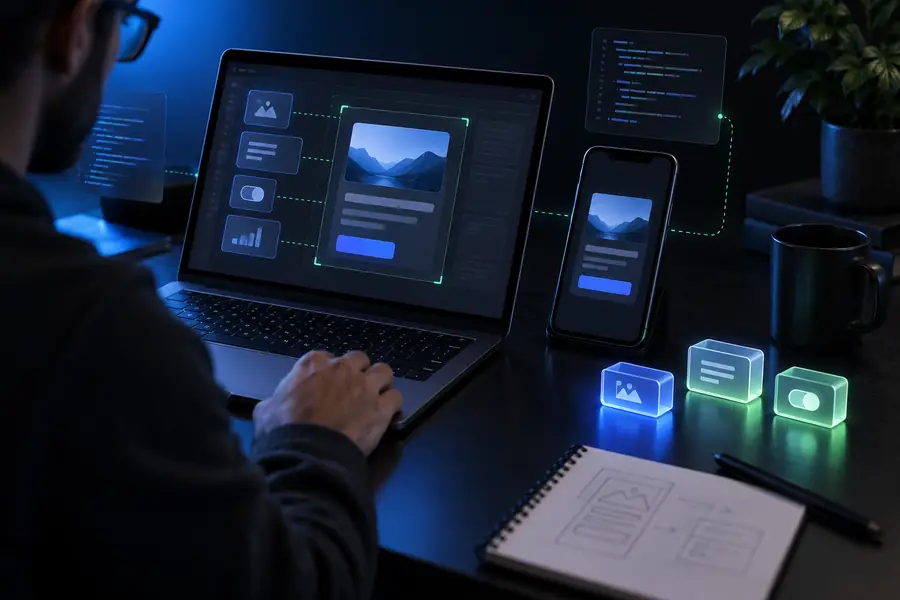
Specify add, complete, and delete behavior for an existing page. The deliverable is a working interaction, not a static mockup; check keyboard use and empty submissions.

Describe a theme preference that survives refresh. The deliverable includes a sensible default and a check for missing or invalid stored values.

Provide the expected rule, the observed failure, and a reproducible input. The deliverable is a targeted fix with a regression check, not an unrelated form redesign.
The same vibe code habit works across different starting points: make the next request specific, keep changes reviewable, and verify behavior in the running project.
New project
Ask Copilot for a minimal structure only after naming the first user action and how you will test it. Avoid requesting every planned feature at once.
Existing code
Point Copilot to the relevant files and describe the behavior that must stay intact. Review the proposed diff for unrelated changes before accepting it.
Bug report
Give Copilot an input that fails, the expected result, and the actual result. A reproducible case makes a narrow repair easier to evaluate than “fix this page.”
If your editor workflow is not the right starting point, compare another assistant or work through a beginner exercise with the same small-task discipline.
Use Vibe Code to turn your next feature idea into a focused brief. Bring that brief to your Copilot session, inspect the suggested edits, and run the result before expanding the scope.
You can begin by describing a small feature in everyday language, but you still need to run it and recognize when it fails. Learn enough about the project’s files, error messages, and tests to make informed decisions about Copilot’s suggestions.
A whole-app request is difficult to review and debug. Start with one working flow, define how to test it, and add the next feature only after the first one behaves as expected.
Name the relevant files, current behavior, requested change, and any conventions the edit must follow. Include a reproducible example for a bug and tell Copilot what should remain unchanged.
Compare the diff with your original request, run the app, and exercise normal and edge-case inputs. Run relevant tests as well; a confident explanation from an assistant is not a substitute for observing the behavior.
Do not assume there is an automatic connection between the two. Treat the Vibe Code output as a brief to review and bring into your own Copilot working session.