
Plain-English guide

So, what is vibe coding in practice?

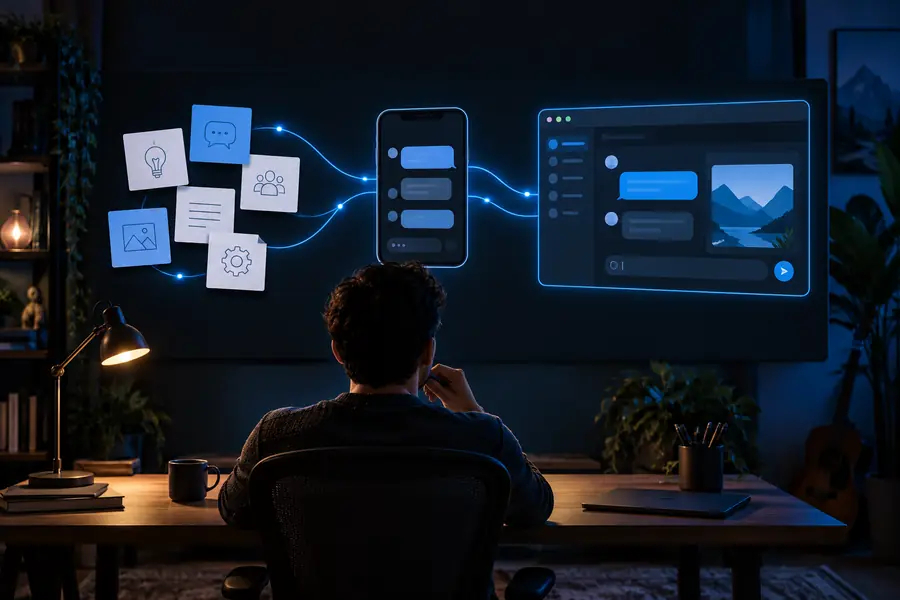
Vibe coding means describing what you want software to do and letting an AI tool draft the code. You guide the result with feedback rather than writing every line yourself.

Vibe Code landing-page visual

How it works

The central shift is from specifying every line of code to describing the outcome and reviewing what the tool produces.

Vibe Code feature visual illustrating an idea becoming a software draft

Step 1

Start with the behavior, not the syntax

If someone asks what is vibe coding, the shortest useful answer is this: tell an AI coding tool what you want to build, then inspect and steer its draft. A request such as “make a page that tracks my reading list” gives the tool a goal, while details about fields and layout make the first result more useful.

  • Describe the intended user and task.
  • Name the information the software should handle.

Vibe Code feature visual representing a software interface draft

Step 2

Treat the first result as a draft

The AI may produce an interface, supporting code, or both, depending on the tool. Run what it creates and try ordinary actions: add an item, edit it, and reload the page. A screenshot can show how a design looks, but only hands-on testing shows whether the behavior matches your request.

  • Check what users can actually do.
  • Report the mismatch rather than repeating the original prompt.
Vibe Code feature visual illustrating iteration on an interface

Step 3

Refine one change at a time

Vibe coding works best as a conversation with a review loop. Ask for a narrower change, such as sorting the reading list by finish date, and test again. Keep track of which version works so an unsuccessful revision does not erase a useful draft. The human remains responsible for deciding when the result is ready.

  • Request a specific revision.
  • Retest the affected action.

What it can and cannot do

A convincing draft is not the same thing as dependable software.

1

It cannot guarantee correct behavior

An AI tool can misunderstand a requirement or produce code that works for a simple example but fails on empty fields, unusual input, or a page reload.

What to do instead

Test normal and edge cases yourself, then describe each failure precisely.

2

It cannot certify security

Generated code may expose data, handle input unsafely, or make assumptions about who is allowed to see or change information.

What to do instead

Keep sensitive data out of prompts and arrange a security review before deploying anything that handles it.

3

It cannot make product decisions for you

The tool can propose features, but it does not know which trade-offs suit your audience, accessibility needs, or long-term maintenance plans.

What to do instead

Write down the essential requirements and use feedback from real users to choose what stays.

  1. 1

    Describe one small outcome

    State who the software is for, what they need to accomplish, and what a successful first version should display. A modest scope makes the AI-generated draft easier to understand and check.

  2. 2

    Run and inspect the draft

    Open the result and complete the task as a user would. Note where the interface, data, or behavior differs from your description; a polished appearance alone is not evidence that it works.

  3. 3

    Request a focused revision

    Give the tool one concrete issue to address, review the change, and repeat. This prompt, test, and revise cycle is the practical core of vibe coding.

Who uses it

The approach is useful when someone can describe a problem clearly and is willing to inspect the result.

People testing an idea

A founder, organizer, or hobbyist might use vibe coding to explore a clickable concept before committing to a larger build. The draft helps make a vague idea concrete, but it is not proof that the idea meets users’ needs.

People learning to build

A beginner can ask an AI tool to explain unfamiliar code while making small changes. Reading the result, asking why it works, and debugging errors teaches more than accepting each generated answer without inspection.

Experienced developers

A developer may use the same method to sketch a routine interface or try an alternative implementation. They can then review the code, adjust its structure, and apply the tests their project requires.

Illustration of a prompt-led software idea
Describe the idea
Illustration of an app-builder result
Inspect the draft

These illustrations show the two ends of a typical workflow, not a guaranteed result from any particular prompt.

Describe the ideaInspect the draft

Choose one task, describe the result you want, and check the first draft yourself. The most useful next prompt is usually a specific change based on something you observed.

Put a small idea to the test

  • Start with a narrow goal.
  • Inspect the result before revising.
  • Keep sensitive information out of prompts.
Try a project

Frequently asked questions about vibe coding

To vibe code is to describe a software outcome in ordinary language and use an AI tool to draft the implementation. You then try the result and guide changes through follow-up requests. The term describes a way of working, not a particular programming language.

No. Someone may begin without writing code manually, but reviewing generated code can reveal mistakes and make later changes safer. The amount of review needed grows when the project handles important information or has real users.

Name the intended user, the task they need to complete, and what should appear on screen. Keep the first version small enough to test in a few actions. You can add details once you see what the initial draft gets right or wrong.

Not necessarily. Try common actions and unusual inputs, check the content and accessibility, and review how any data is handled. If other people will rely on the software, have someone qualified examine the parts you cannot confidently assess.

Start creating
Start creating